Works
Contact

SpendLess Daw

A desktop project manager for FL Studio that organizes `.flp` files, extracts project metadata, secures sample dependencies, and makes music projects easier to identify, preview, archive, and maintain.

Date: 10/2022

Tags: TypeScript, Electronjs, React, FL Studio, Binary

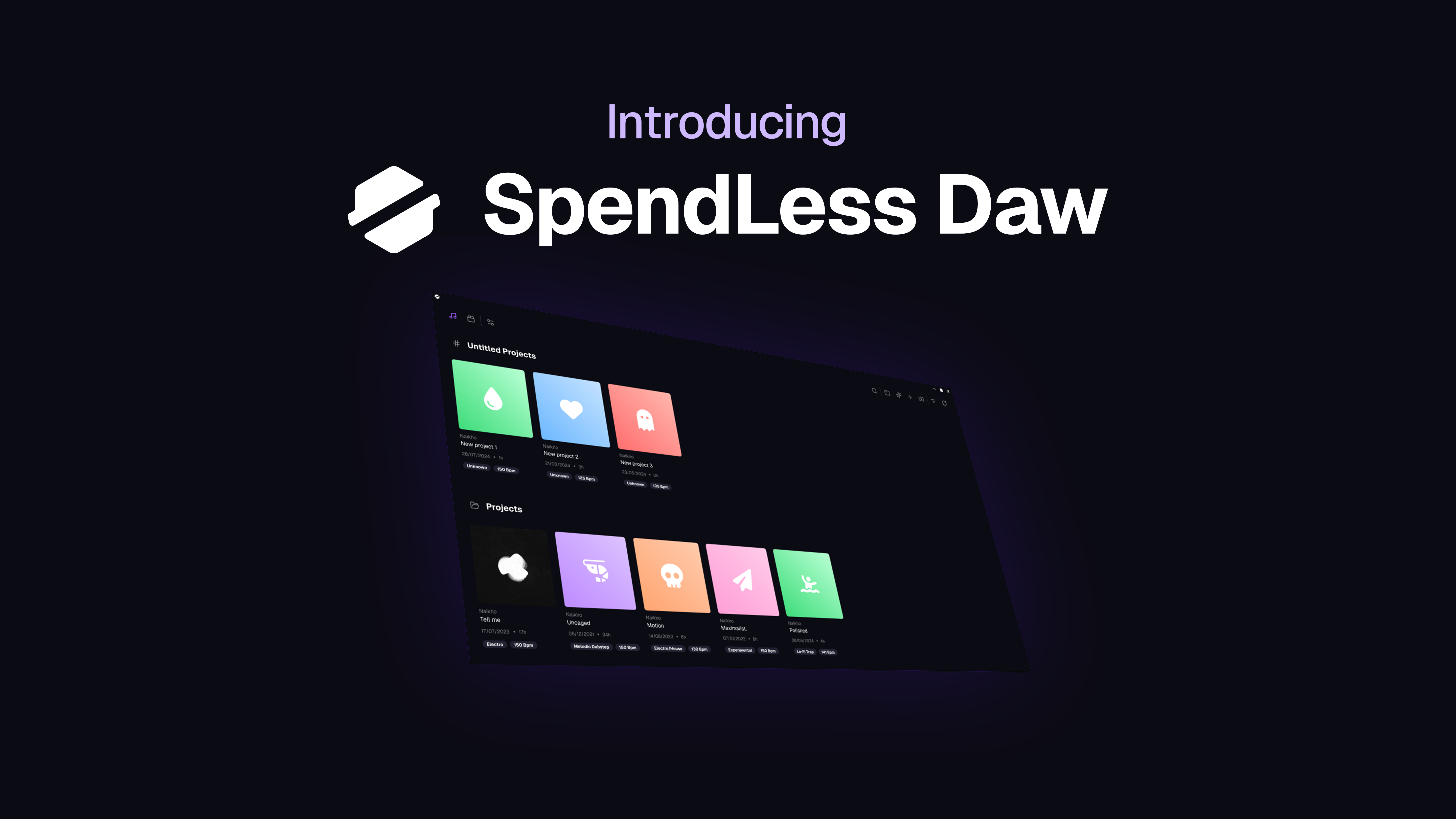
Hero image: https://naikho.com/api/media/portfolio/ec6f58b2-d3fd-464e-b590-748eb3c499c9.png

Project content

## Overview

SpendLess Daw is a desktop application built to manage FL Studio projects in a clearer and more reliable way. I originally created it to solve a personal problem: too many `.flp` files scattered across my computer, poor visual identification, missing context around projects, and fragile sample paths.

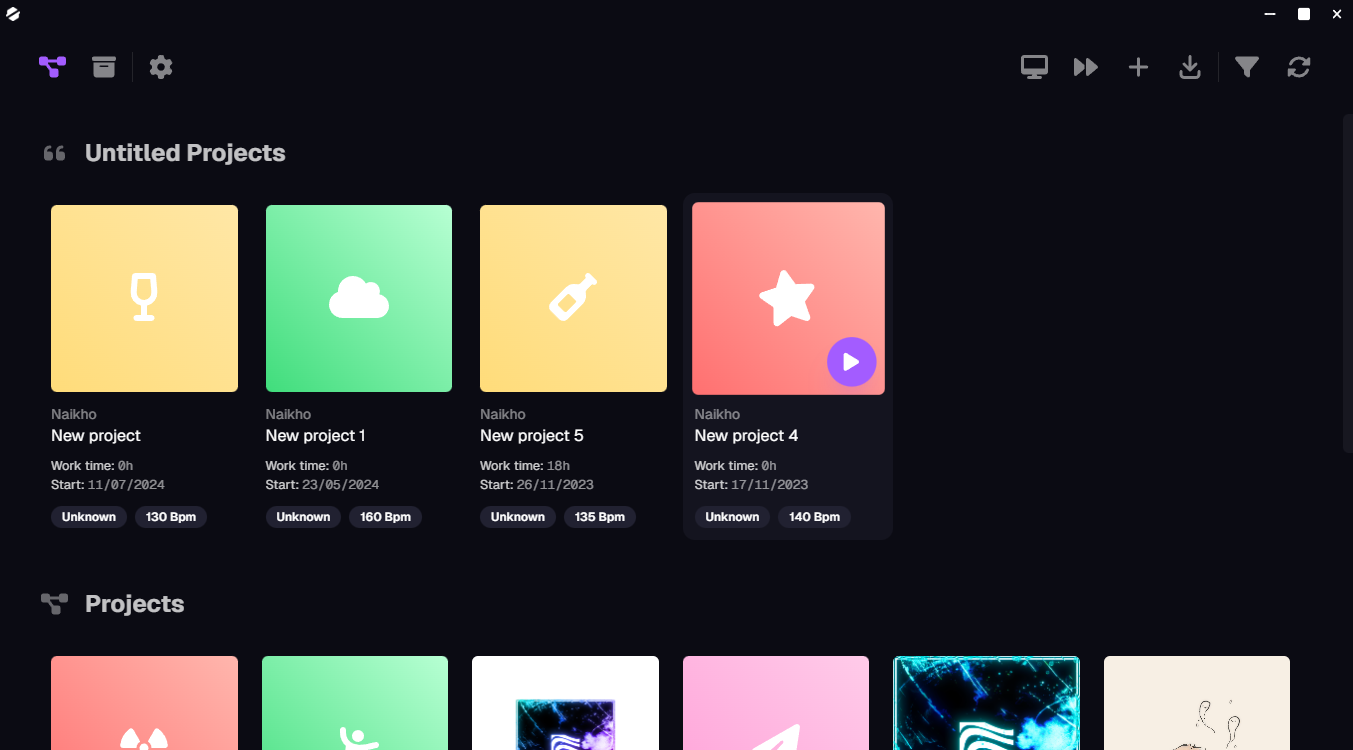
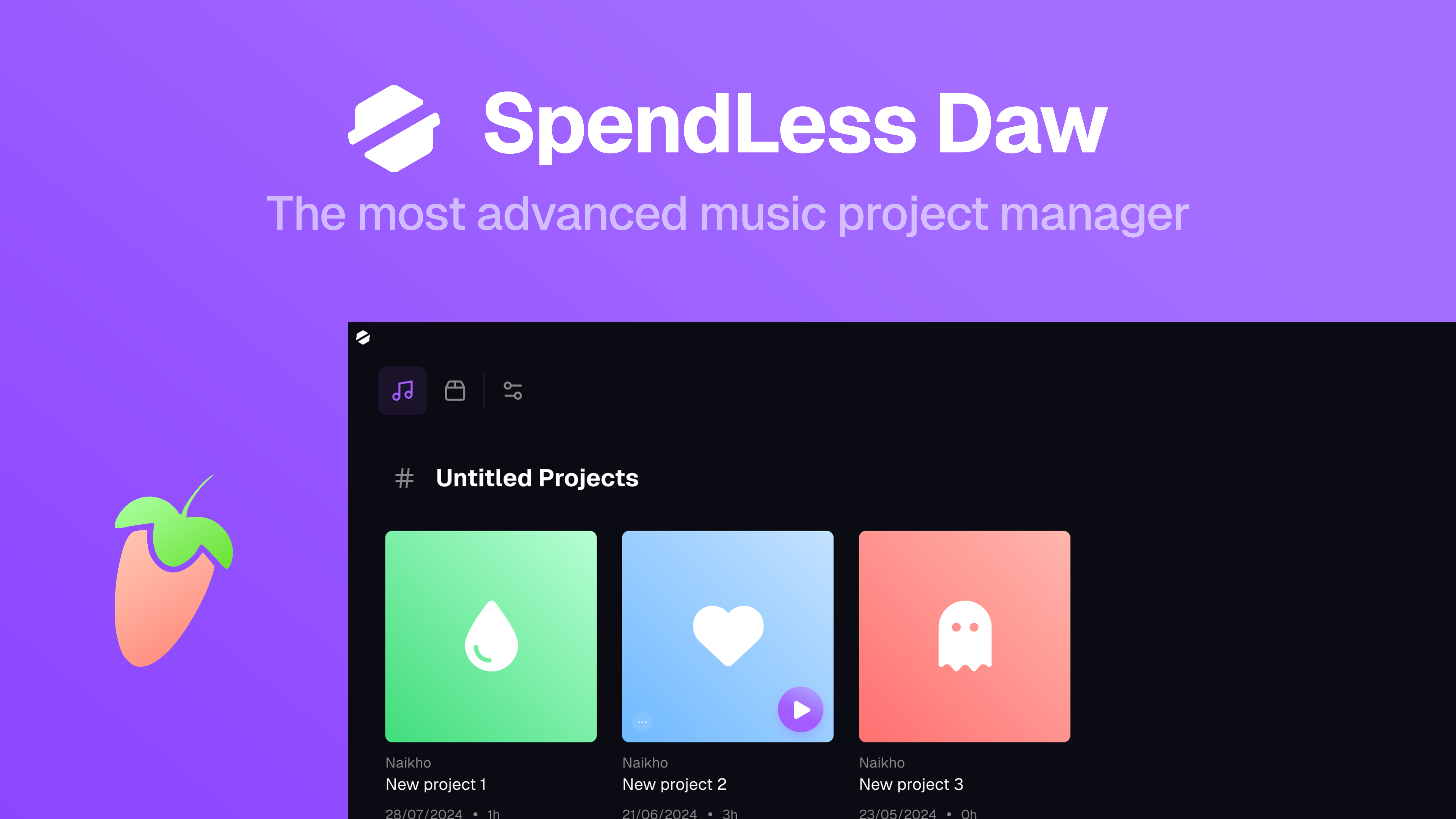
The application gives each project a proper interface with metadata, visual identity, audio preview, and archive support, making it much easier to browse, recognize, and maintain music projects over time.

## What it does

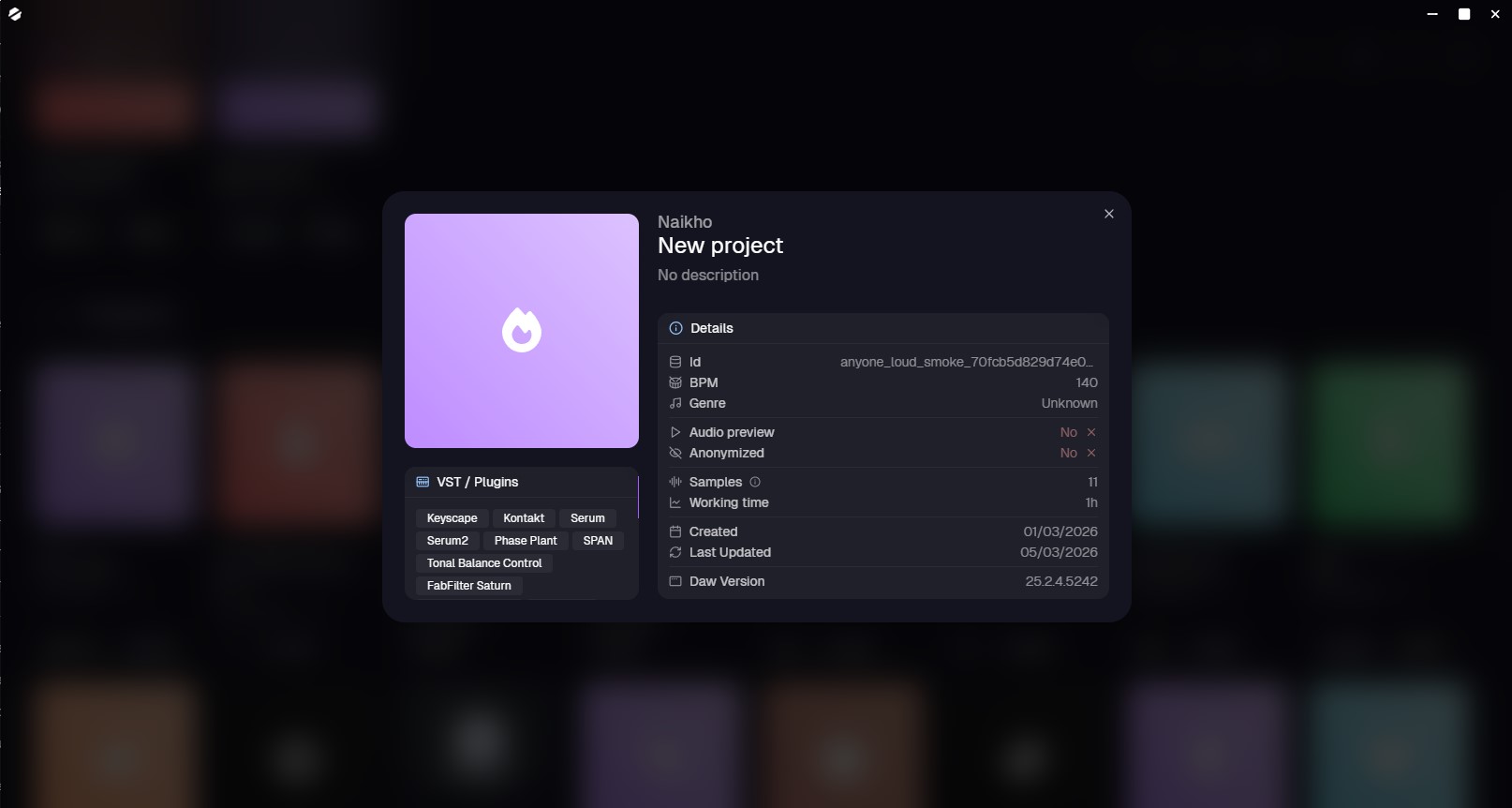
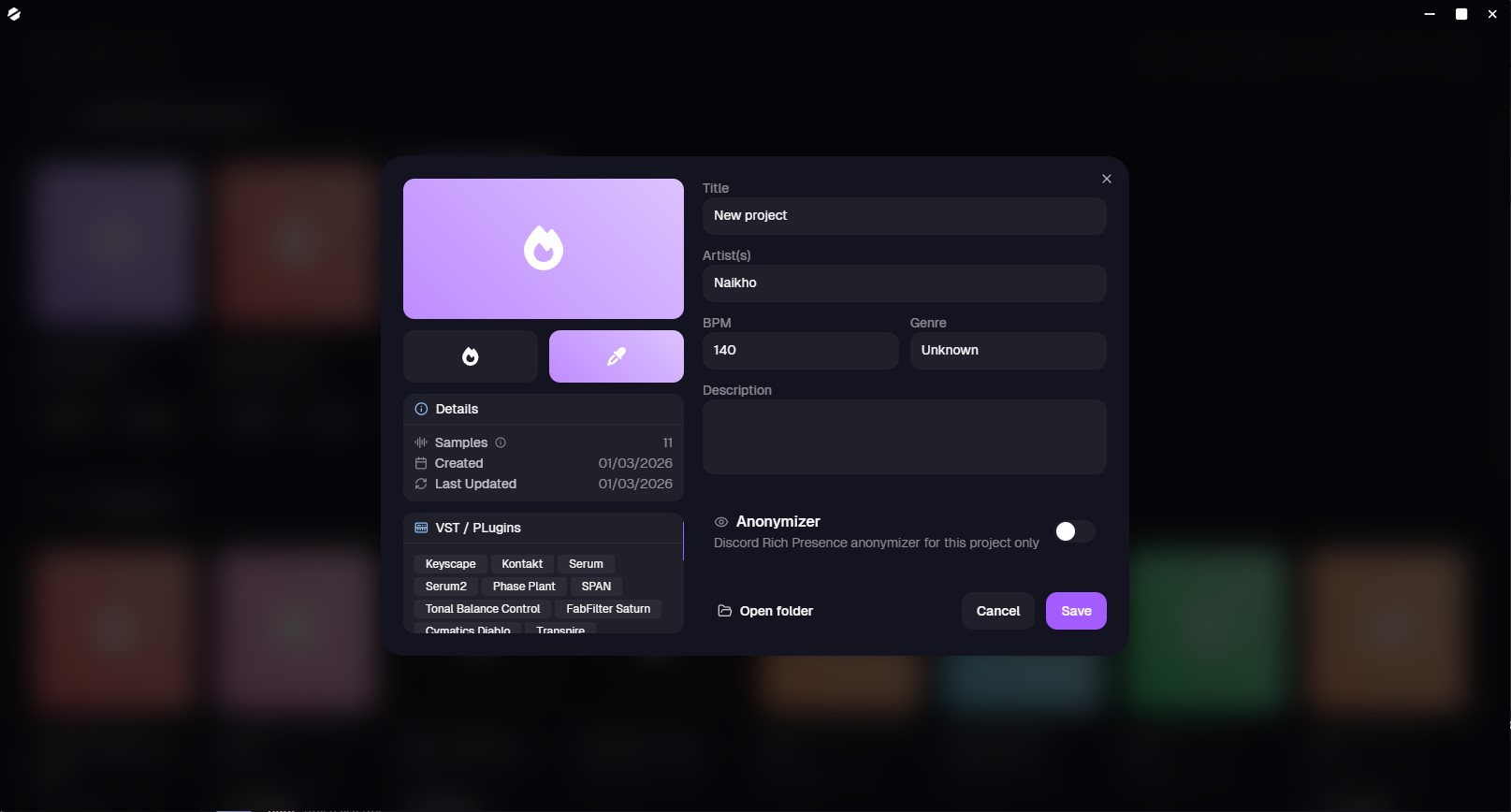
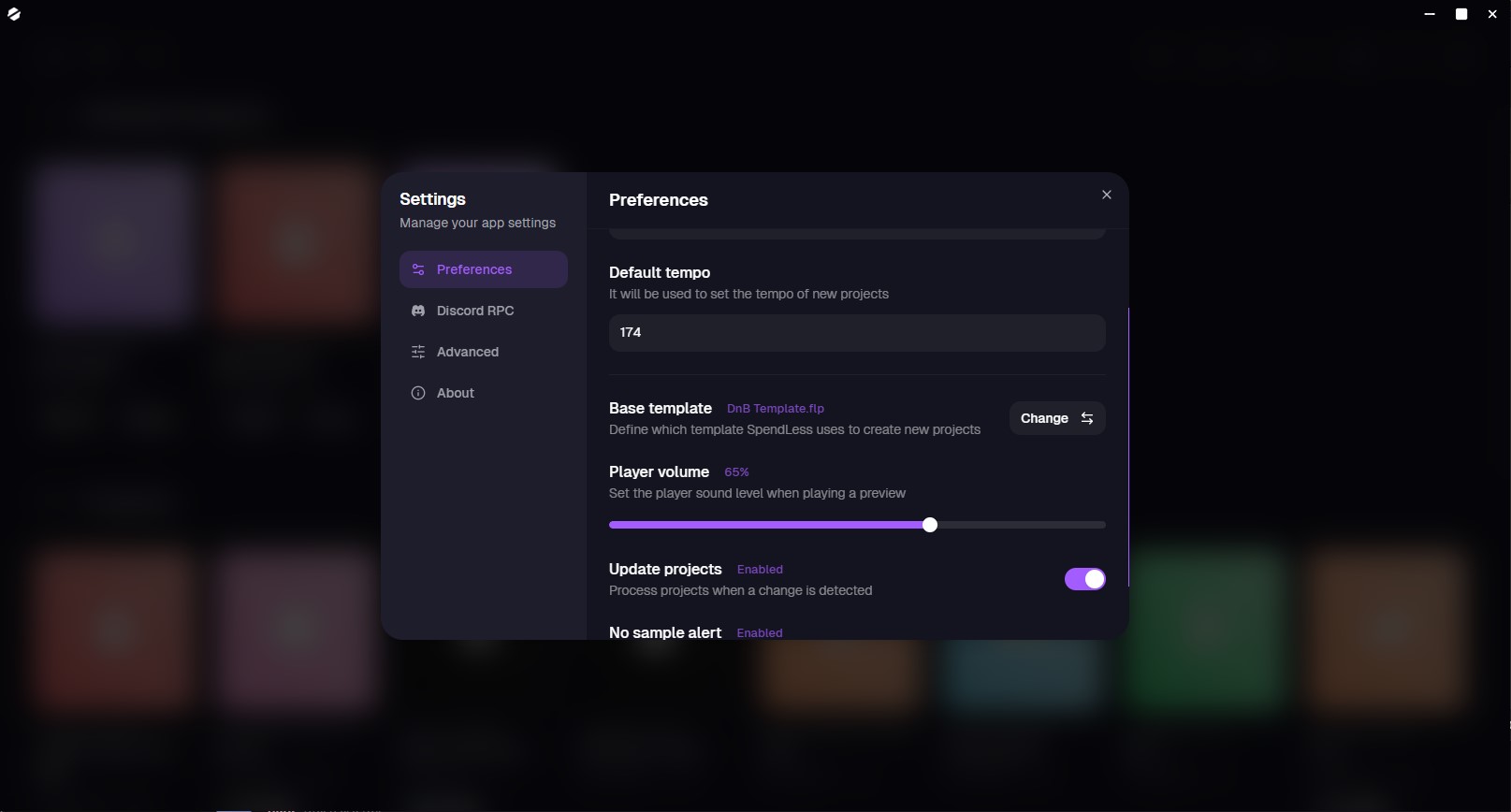
SpendLess Daw reads FL Studio project files to extract useful information such as the title, genre, BPM, description, artist, and other project data. It then turns raw project files into structured, visual entries that are easier to search and understand.

It also secures project dependencies by locating the samples used by a project, copying them into the project structure, and rewriting the internal paths so FL Studio can still resolve them later. This makes projects far more portable and reduces the risk of broken sample references.

## Key features

- Parse `.flp` files to extract and update project metadata
- Give projects a strong visual identity with icons, colors, covers, and previews
- Attach and play exported audio previews directly from the app
- Archive projects in `.spend` or `.zip` formats
- Secure samples by copying them into the project and rewriting their paths
- Create projects quickly from predefined settings and templates
- Detect project changes and keep data synchronized with FL Studio
- Create soft backups before processing operations

## My role

I designed and developed the entire application myself.

My work included:
- Product design and UX
- Desktop application architecture
- Frontend development
- Electron integration
- TypeScript typing and data modeling
- Project parsing logic
- File system operations
- Backup and safety systems
- Project synchronization workflows

## Technical challenge

The biggest challenge was parsing and updating FL Studio project files safely.

For a long time, the project relied on `PyFLP` compiled as an executable, which introduced performance and integration limitations. I later replaced that approach with my own TypeScript library, `ts-flp`, which made the parsing pipeline native to the application, faster, easier to maintain, and better integrated with the rest of the codebase.

This part required careful work because the parser had to read and modify binary project data without corrupting files. I also needed the system to remain fast enough for real-world usage and safe enough to avoid damaging user projects.

## Technical highlights

One of the most interesting parts of the project is the internal FL Studio parsing stack.

I built `ts-flp`, a dedicated TypeScript library used by SpendLess Daw to read and modify `.flp` files with a conservative, non-destructive approach. It supports reading metadata, listing samples, rewriting sample paths, and preserving untouched binary data as accurately as possible.

On top of that, the application includes:
- file watching and update detection
- FL Studio activity detection
- automatic project refresh
- sample path migration
- backup creation before risky operations

## Why this project matters

SpendLess Daw is a good representation of how I approach software projects: I like building tools that solve real workflow problems, especially when they require both product thinking and deep technical implementation.

This project mixes UI design, desktop development, binary parsing, file safety, synchronization logic, and user-oriented workflow improvements in a single product that I actively use myself.

## Status

The project is actively maintained and still evolving. New features are being added, including broader DAW support and future cloud-oriented capabilities.

---

# Website
You can see SpendLessDaw website here: https://spendlessdaw.app

Gallery

Similar project: U-Academy

SpendLess Daw
October 2022TypeScriptElectronjsReactFL StudioBinary

SpendLess Daw

A desktop project manager for FL Studio that organizes `.flp` files, extracts project metadata, secures sample dependencies, and makes music projects easier to identify, preview, archive, and maintain.

Overview

SpendLess Daw is a desktop application built to manage FL Studio projects in a clearer and more reliable way. I originally created it to solve a personal problem: too many .flp files scattered across my computer, poor visual identification, missing context around projects, and fragile sample paths.

The application gives each project a proper interface with metadata, visual identity, audio preview, and archive support, making it much easier to browse, recognize, and maintain music projects over time.

What it does

SpendLess Daw reads FL Studio project files to extract useful information such as the title, genre, BPM, description, artist, and other project data. It then turns raw project files into structured, visual entries that are easier to search and understand.

It also secures project dependencies by locating the samples used by a project, copying them into the project structure, and rewriting the internal paths so FL Studio can still resolve them later. This makes projects far more portable and reduces the risk of broken sample references.

Key features

  • Parse .flp files to extract and update project metadata
  • Give projects a strong visual identity with icons, colors, covers, and previews
  • Attach and play exported audio previews directly from the app
  • Archive projects in .spend or .zip formats
  • Secure samples by copying them into the project and rewriting their paths
  • Create projects quickly from predefined settings and templates
  • Detect project changes and keep data synchronized with FL Studio
  • Create soft backups before processing operations

My role

I designed and developed the entire application myself.

My work included:

  • Product design and UX
  • Desktop application architecture
  • Frontend development
  • Electron integration
  • TypeScript typing and data modeling
  • Project parsing logic
  • File system operations
  • Backup and safety systems
  • Project synchronization workflows

Technical challenge

The biggest challenge was parsing and updating FL Studio project files safely.

For a long time, the project relied on PyFLP compiled as an executable, which introduced performance and integration limitations. I later replaced that approach with my own TypeScript library, ts-flp, which made the parsing pipeline native to the application, faster, easier to maintain, and better integrated with the rest of the codebase.

This part required careful work because the parser had to read and modify binary project data without corrupting files. I also needed the system to remain fast enough for real-world usage and safe enough to avoid damaging user projects.

Technical highlights

One of the most interesting parts of the project is the internal FL Studio parsing stack.

I built ts-flp, a dedicated TypeScript library used by SpendLess Daw to read and modify .flp files with a conservative, non-destructive approach. It supports reading metadata, listing samples, rewriting sample paths, and preserving untouched binary data as accurately as possible.

On top of that, the application includes:

  • file watching and update detection
  • FL Studio activity detection
  • automatic project refresh
  • sample path migration
  • backup creation before risky operations

Why this project matters

SpendLess Daw is a good representation of how I approach software projects: I like building tools that solve real workflow problems, especially when they require both product thinking and deep technical implementation.

This project mixes UI design, desktop development, binary parsing, file safety, synchronization logic, and user-oriented workflow improvements in a single product that I actively use myself.

Status

The project is actively maintained and still evolving. New features are being added, including broader DAW support and future cloud-oriented capabilities.


Website

You can see SpendLessDaw website here: https://spendlessdaw.app

Gallery

SpendLess Daw screenshot 1
SpendLess Daw screenshot 2
SpendLess Daw screenshot 3
SpendLess Daw screenshot 4
SpendLess Daw screenshot 5
SpendLess Daw screenshot 6

Naikho © 2026